
The Dli.li AI console can quickly connect several AI chat applications for testing, daily conversation, and one-click configuration import.
Import configuration
From Console -> API Tokens, you can one-click import configuration into supported chat apps.
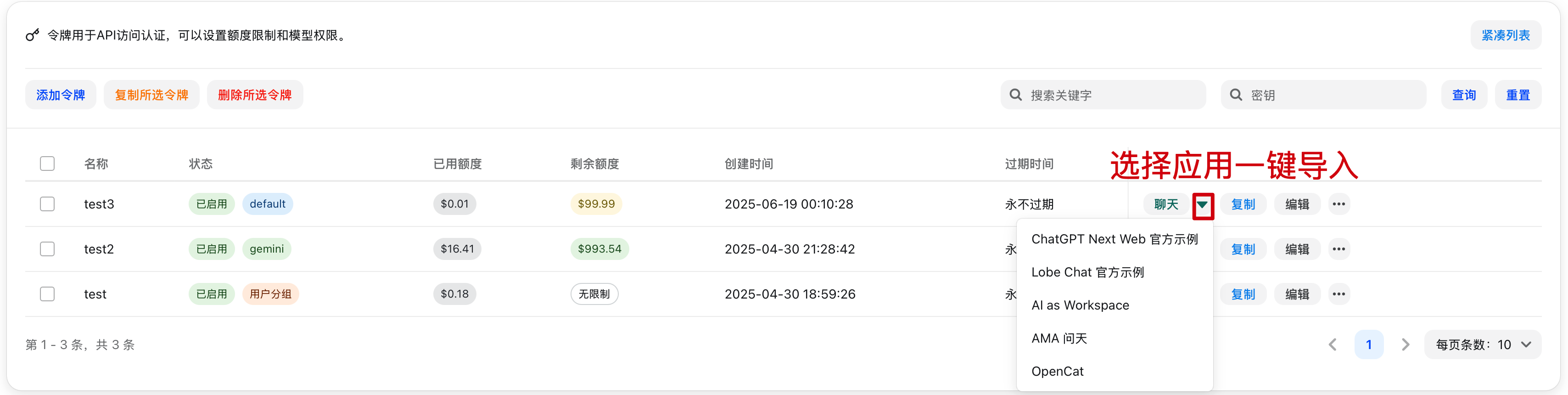
ChatGPT Next Web
Deployment is currently paused.
Lobe Chat
Lobe Chat is an open-source multimodal conversation app that supports multiple large language models and plugin extensions. It supports not only text conversations, but also multimodal interactions such as images and audio, making it suitable for personal assistants, knowledge Q and A, and content creation.
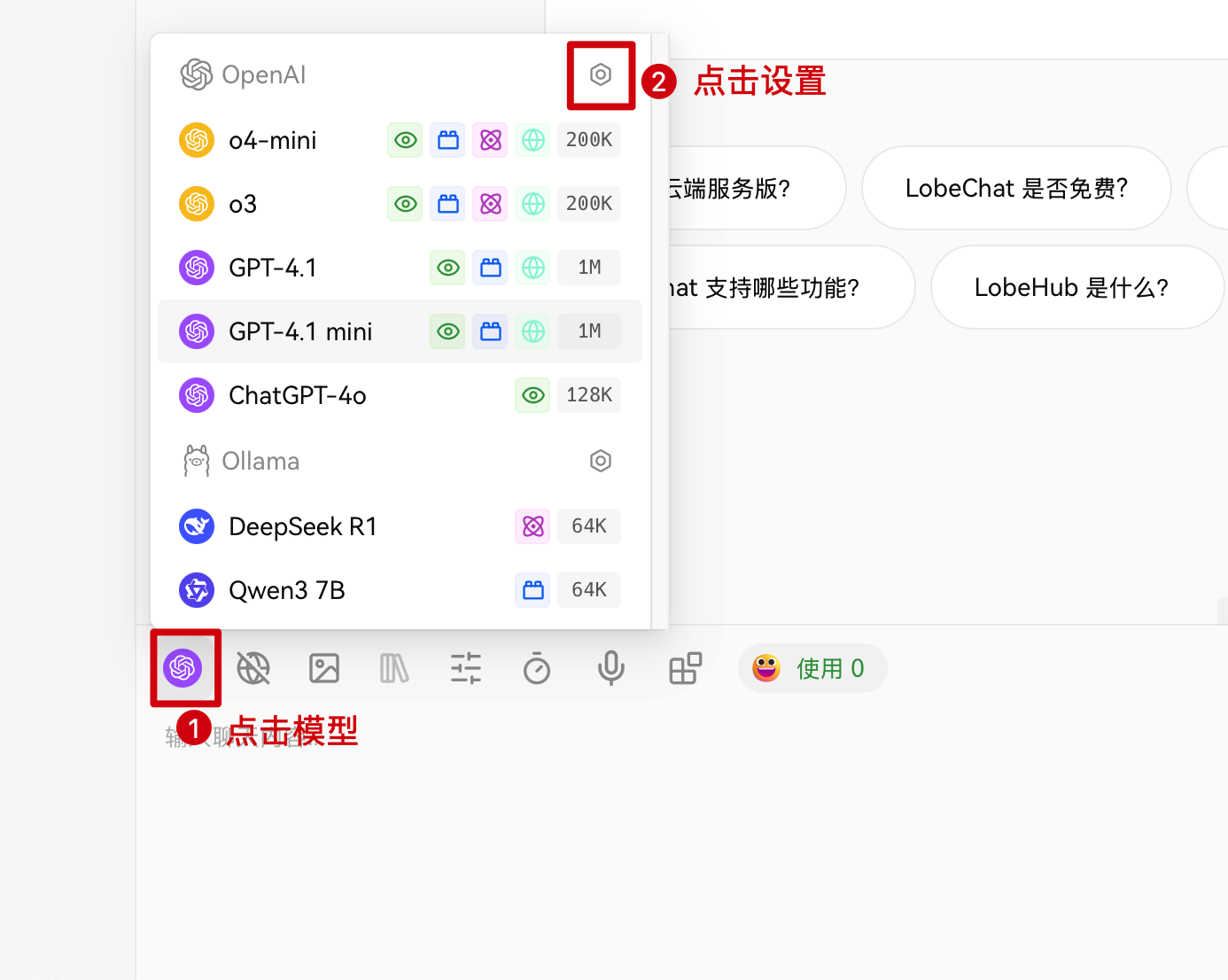
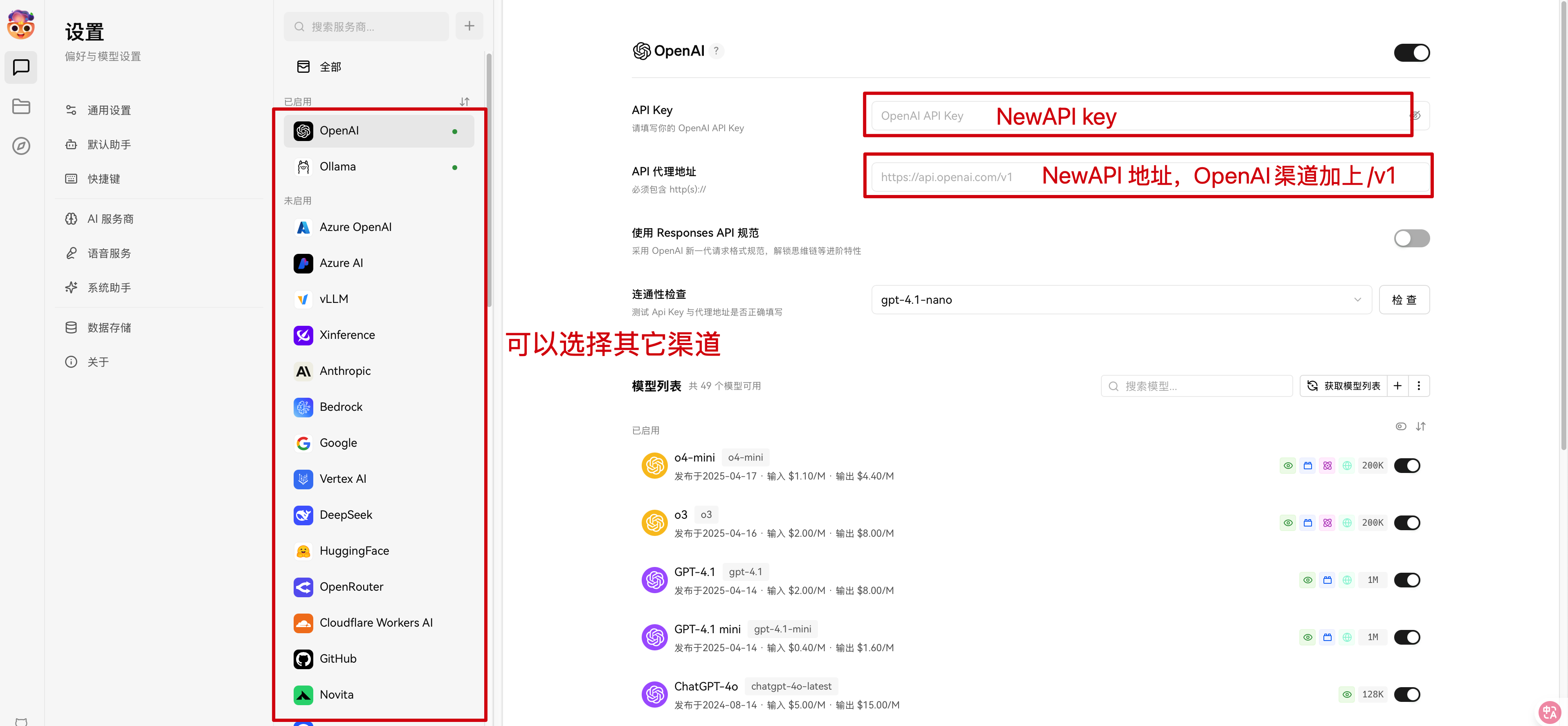
Lobe Chat currently does not support one-click config import from the Dli.li AI console, so you need to fill the settings manually.
Configuration example:
AI as Workspace
AI as Workspace integrates AI capabilities directly into a workspace. It combines AI assistants with office work, collaboration, and knowledge management so users can process information more efficiently, automate repetitive tasks, and get smart suggestions.
Supports one-click config import from the Dli.li AI console.
AMA
AMA is an intelligent Q and A assistant provided on this site. It supports multi-turn conversation and more complex questions for knowledge lookup, technical support, and business consultation.
You need to install the AMA app first.
OpenCat
OpenCat is an open-source cross-platform AI chat client that supports multiple large language model backends. It offers a simple interface for daily conversations, knowledge Q and A, and content creation.
You need to install the OpenCat app first.