
API Tokens
This page is where you view, edit, and create API tokens. It is one of the most frequently used pages when connecting apps, scripts, and third-party clients.
Integration recommendation
After creating an API key, you can start with the official default API `https://api.dli.li/v1`; if you want the official backup API directly, use `https://api.dlizz.com/v1`.
What this page is usually used for
| Scenario | Recommended next step |
|---|---|
| Connecting a client for the first time | Create the token, then continue with AI Apps |
| Writing code or scripts | Create the token, then continue with API Access and API Examples |
| Troubleshooting connection failures | First confirm the token was copied correctly, then inspect Usage Log |
Direct links
| Main link | Backup link |
|---|---|
| Open API Tokens | Open API Tokens |
The path is the same across both main and backup links. When copying an API key, make sure you are signed in to the correct account.
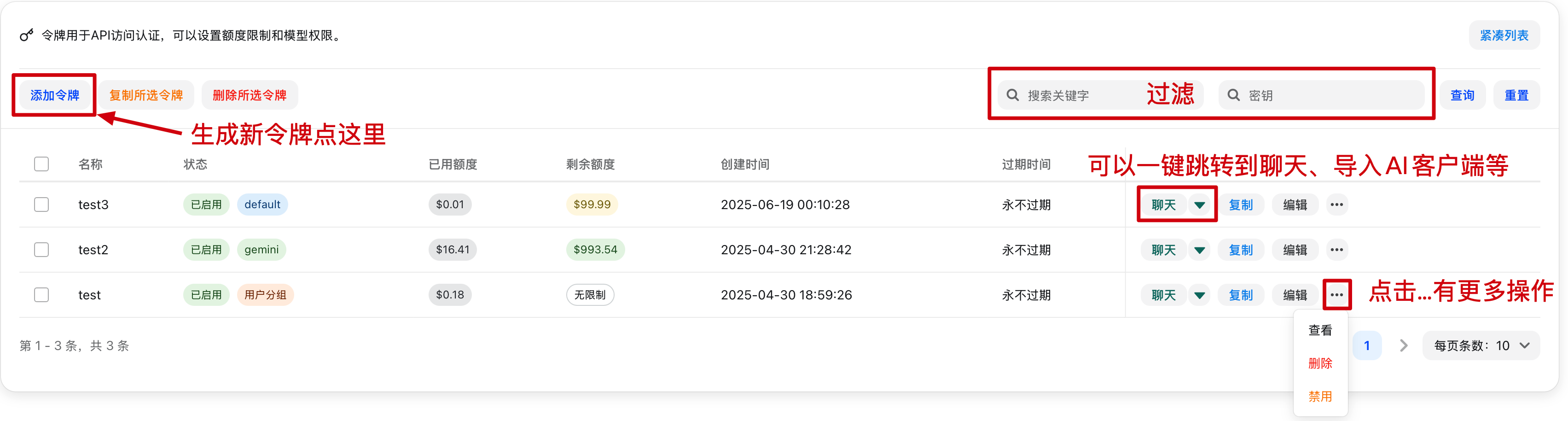
View tokens
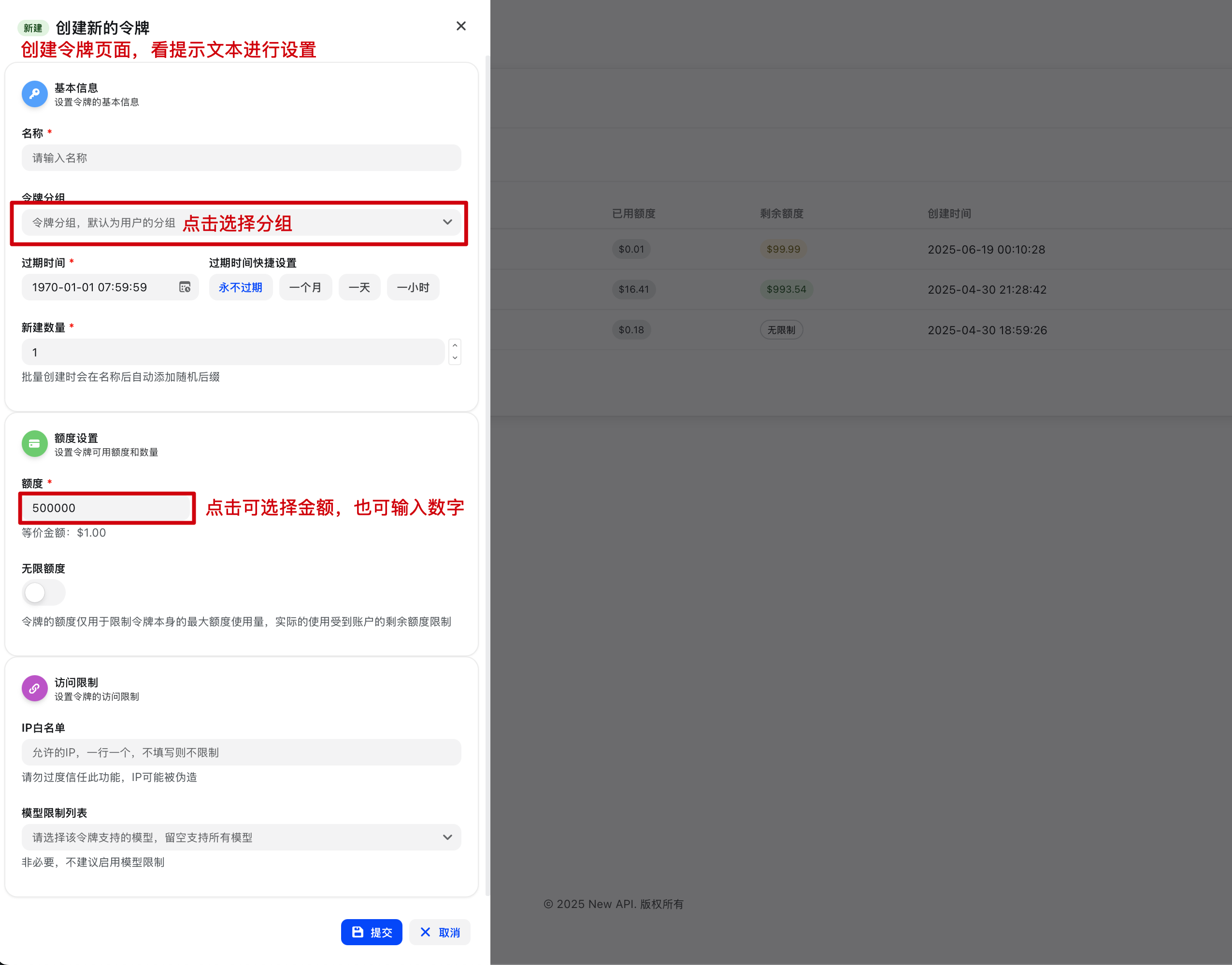
Add a token
Usage recommendations
- It is usually better to use separate tokens for separate clients or projects, so permissions and troubleshooting stay clear.
- When filling a client, always verify these three fields together: endpoint, API key, and model name.
- If the token exists but requests still fail, first check whether it was copied incorrectly, whether it has a usage cap, or whether model access is restricted.