Cherry Studio is a powerful desktop AI client for professional users. It includes more than 30 built-in assistants and supports a wide range of work scenarios.
- Official website: https://cherry-ai.com
- Downloads: https://cherry-ai.com/download
- Official docs: https://docs.cherry-ai.com
Connect Dli.li AI
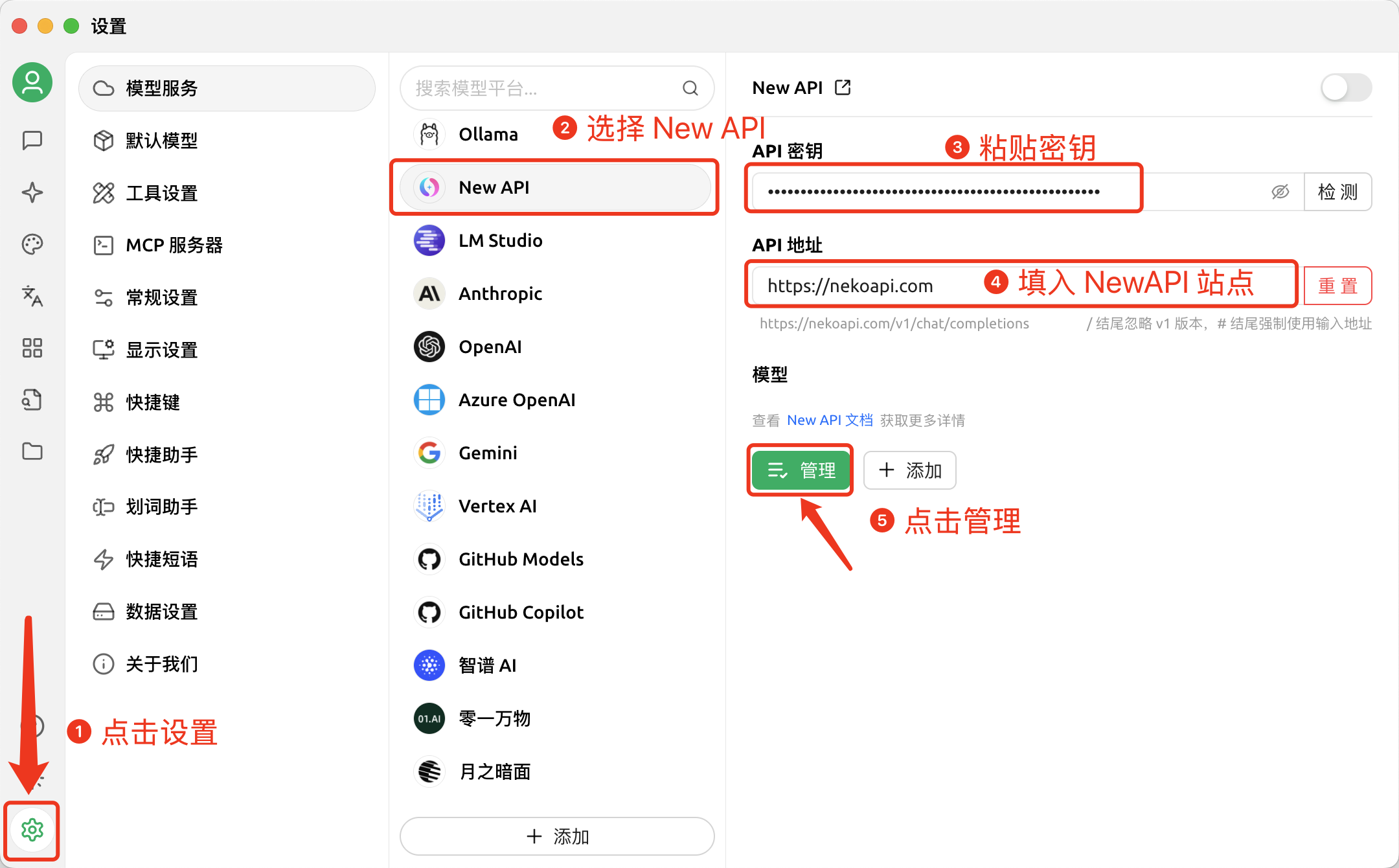
Required fields
- Provider type: the provider label supported by the app, usually
NewAPI - API key: copied from the Dli.li AI
API Tokenspage - API address: official default API
https://api.dli.li/v1; official backup APIhttps://api.dlizz.com/v1
Visual guide
Copy your API key from the
API Tokenspage.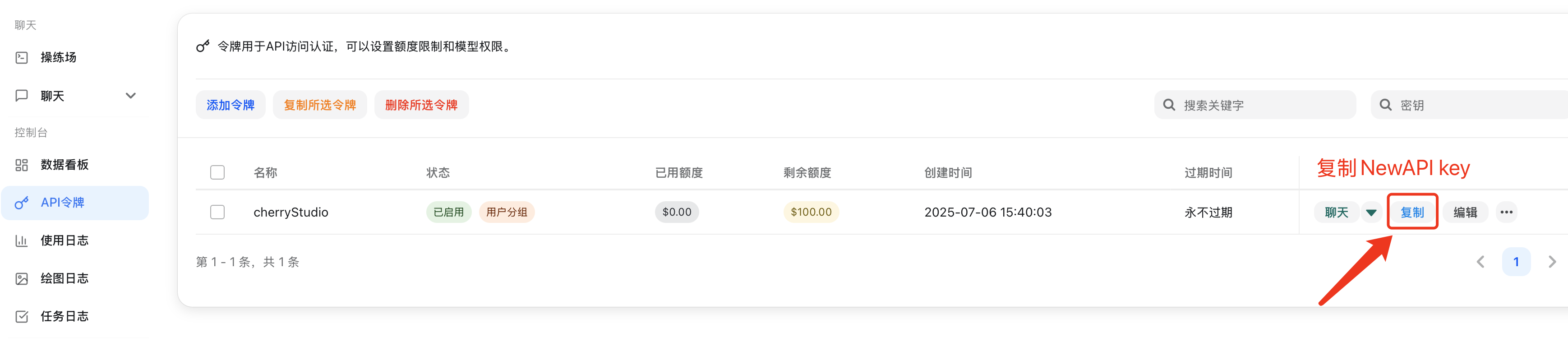
Add the provider.
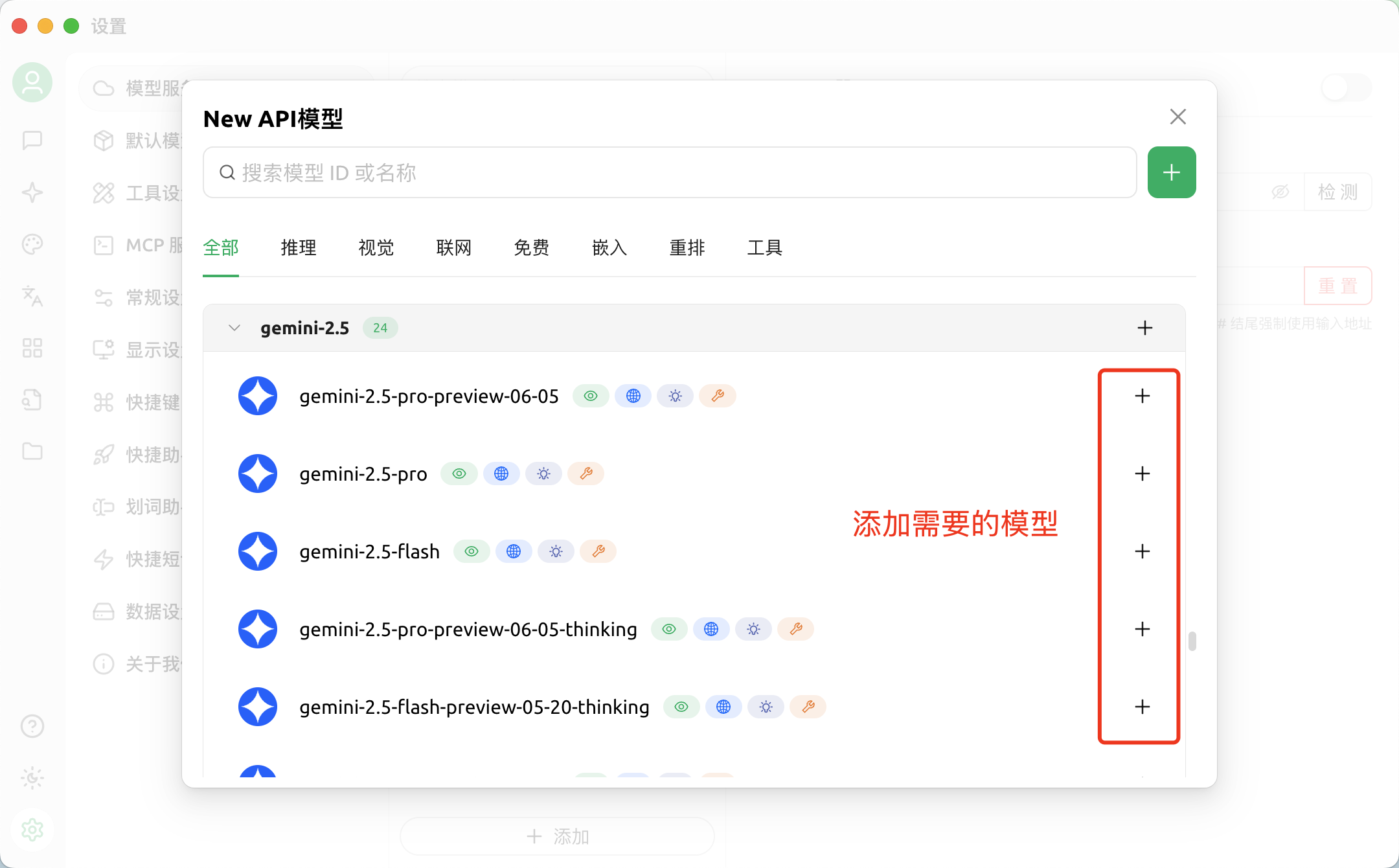
Add models.
Return to the chat page.
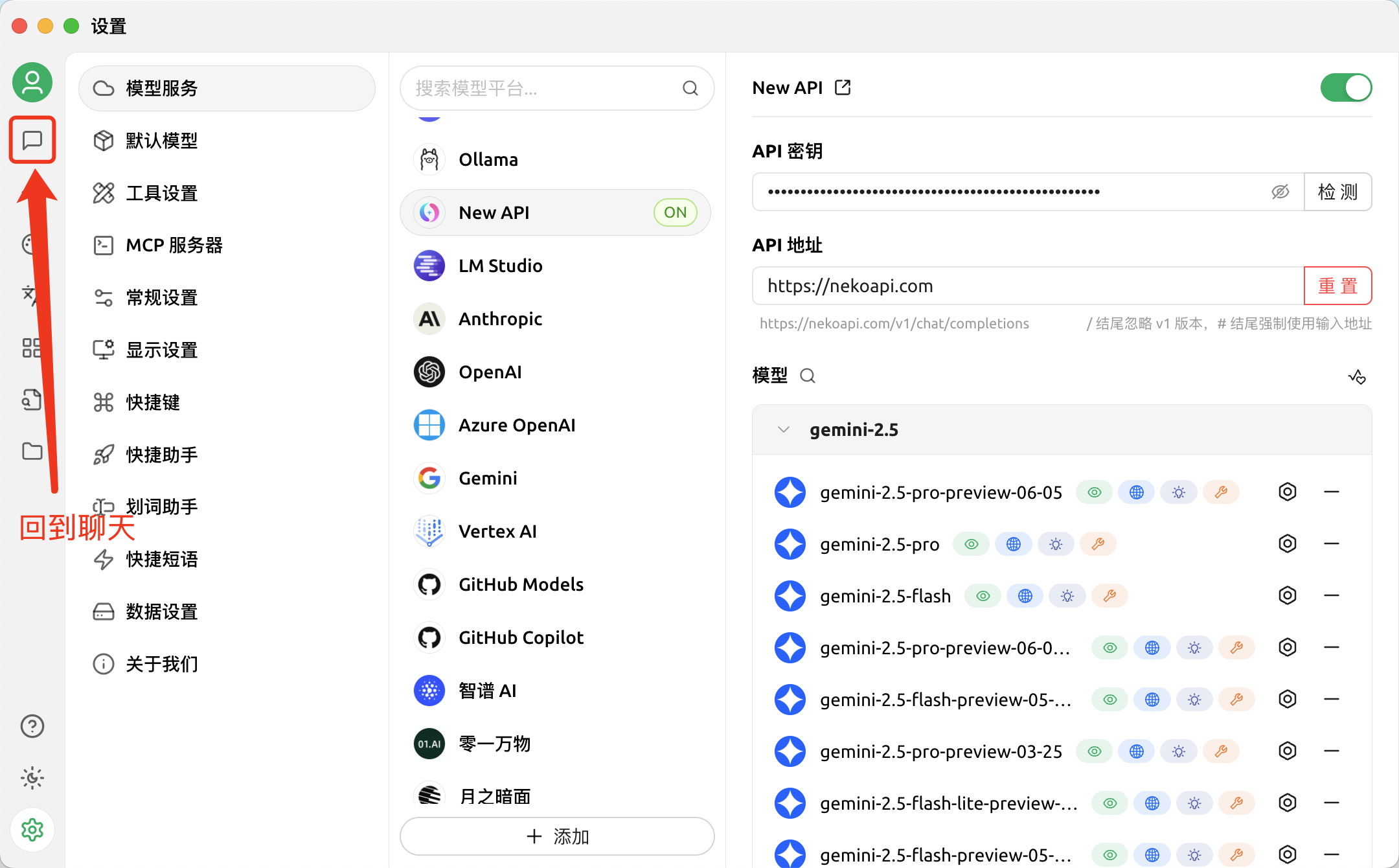
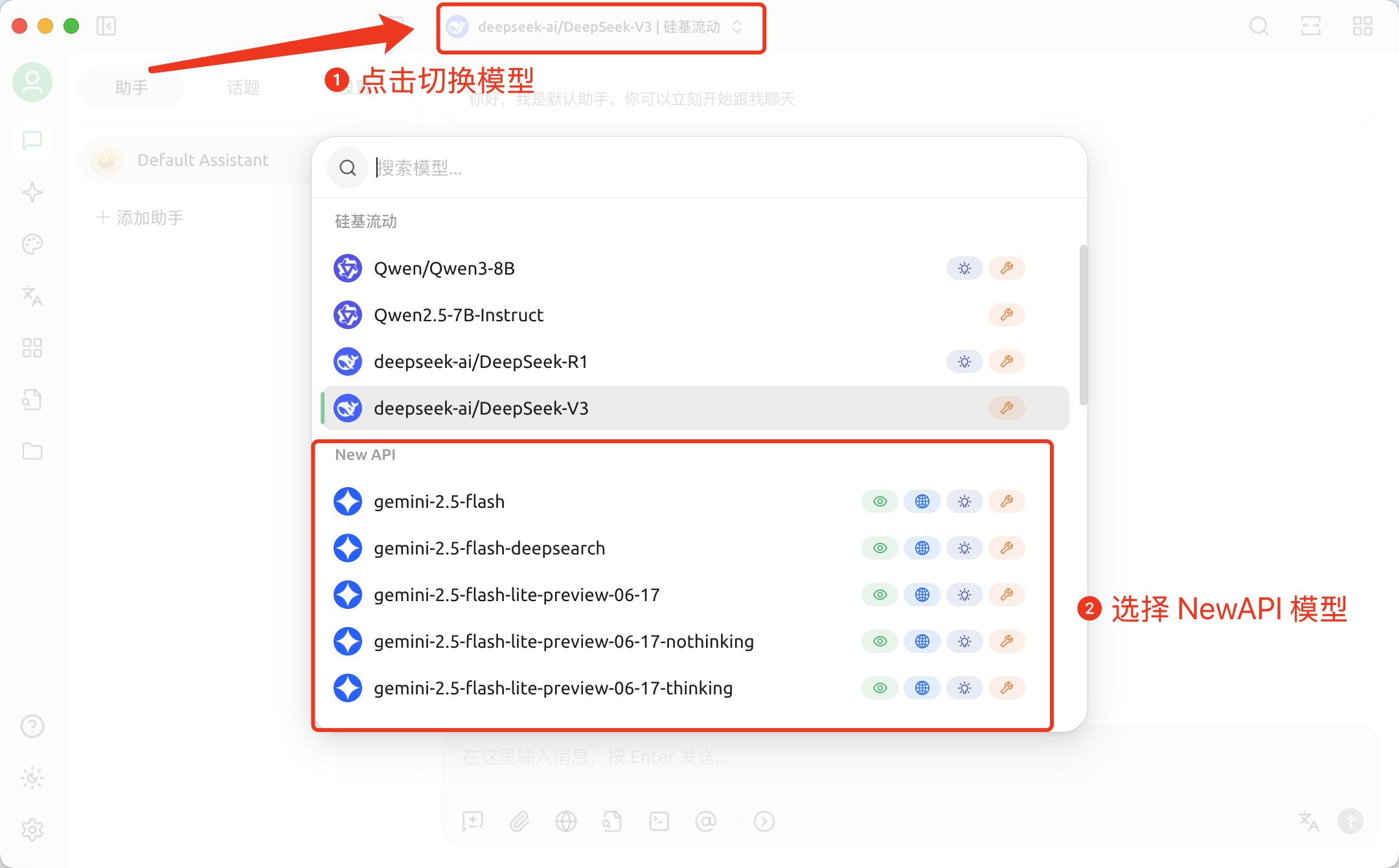
Switch to the imported model.
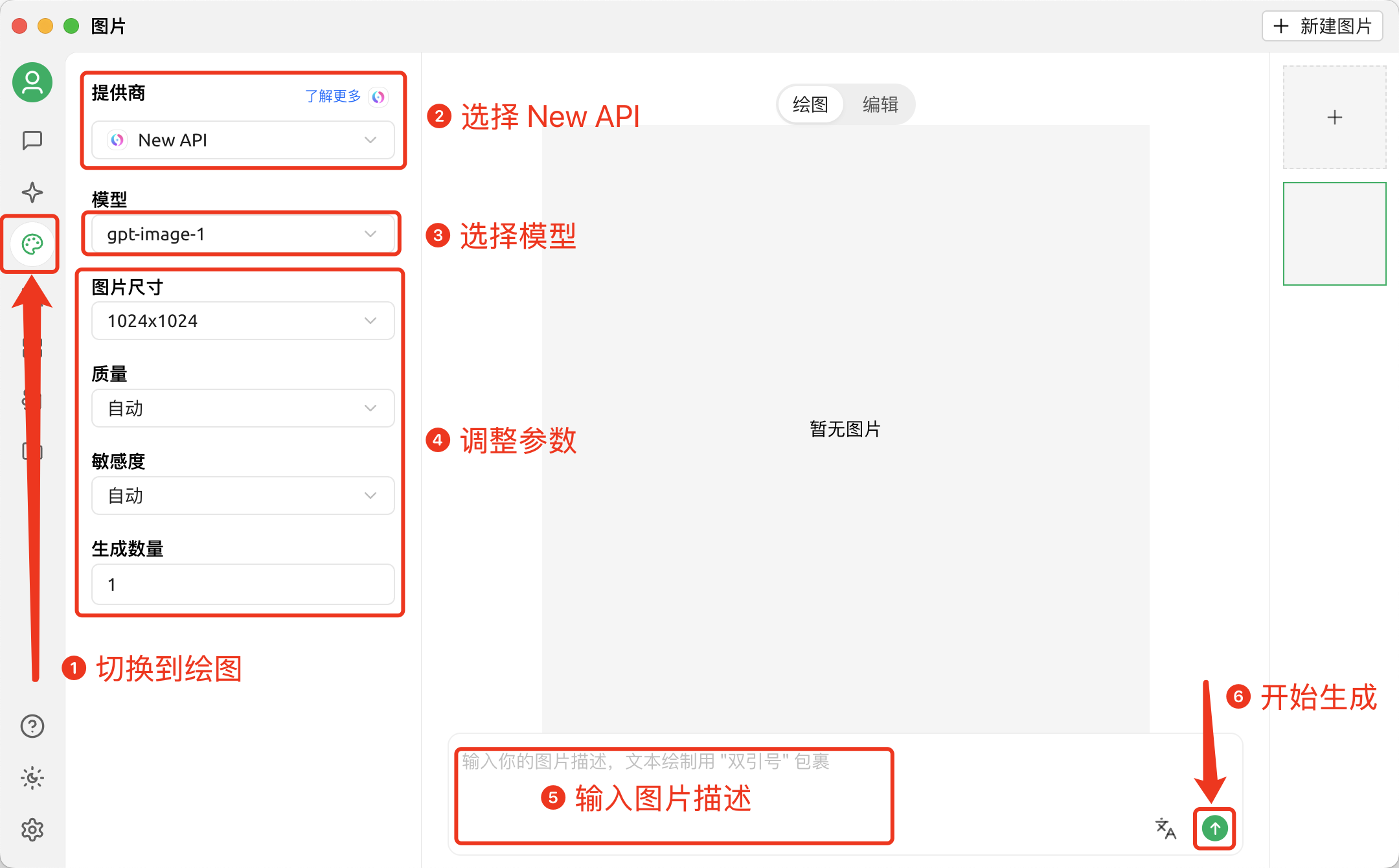
Drawing in Cherry Studio
Add a model that supports image generation.
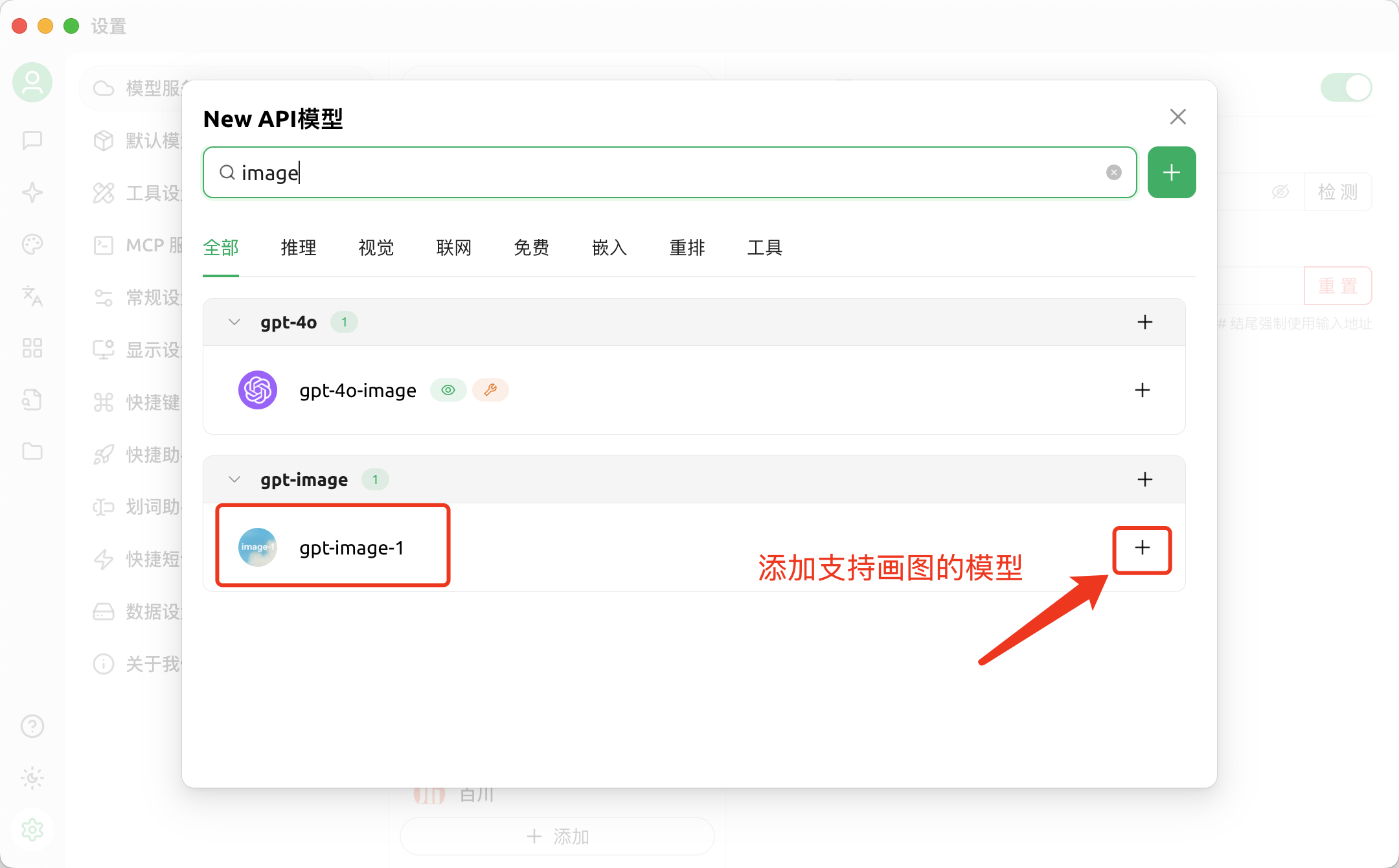
Start drawing.