- Official website: https://astrbot.app
- Official docs: https://docs.astrbot.app
- GitHub: https://github.com/astrbotdevs/astrbot
Connect Dli.li AI
AstrBot supports OpenAI-compatible model providers. When you connect it to Dli.li AI, you can access the models exposed on this site through the compatible endpoint.
Setup steps
Get an API key
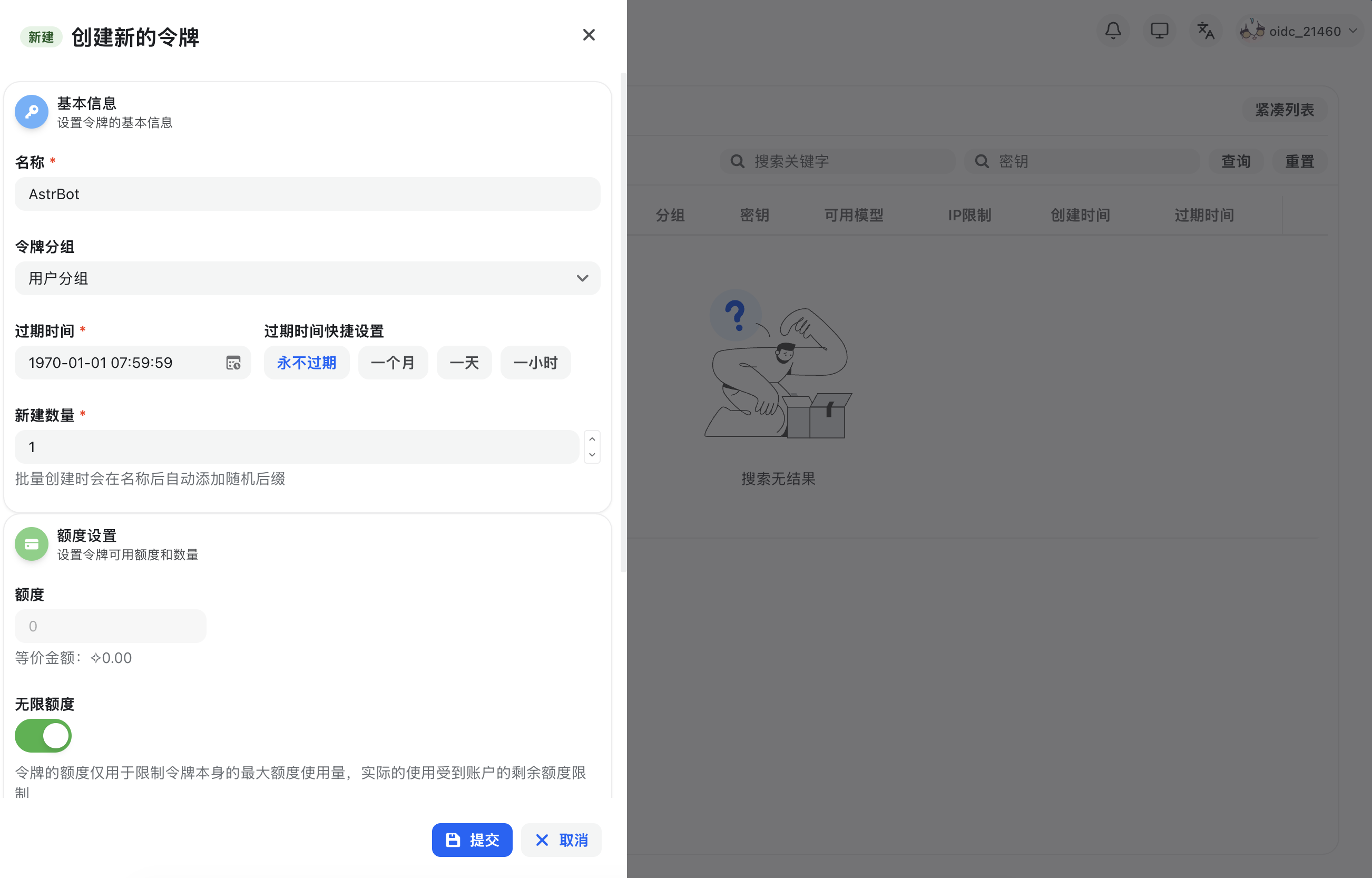
After signing in to Dli.li AI, open the console, go to Token Management, click Add Token, create a new API key with the appropriate permissions, and then click Create.
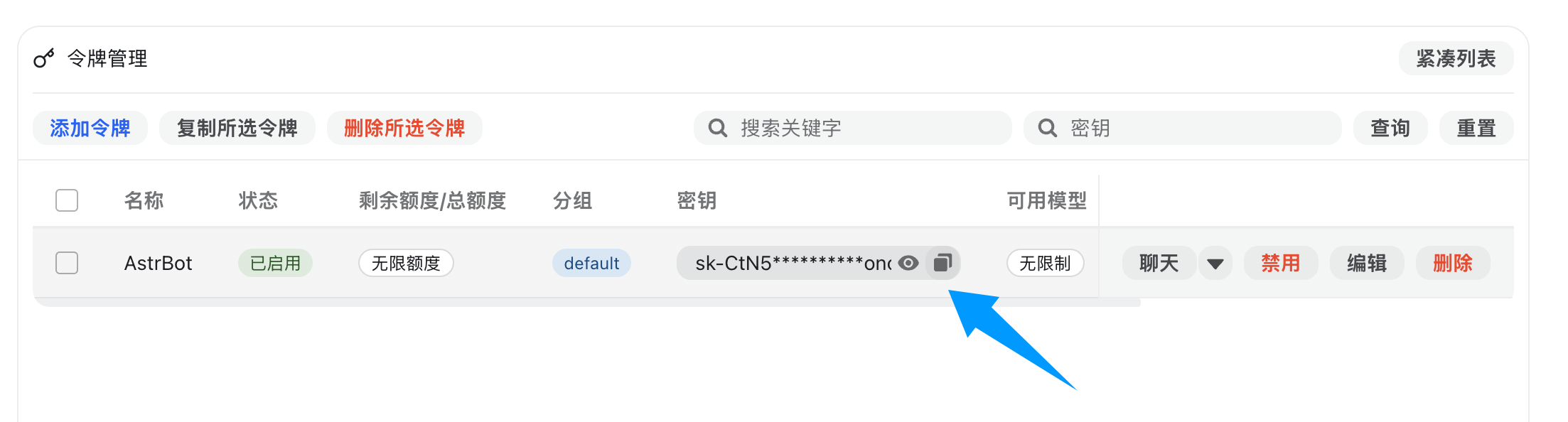
After the key is created, click the copy button to copy it.
Configure the OpenAI provider in AstrBot
Open the AstrBot admin panel, go to the model provider page, and click Add Model Provider.
Dli.li AI works with the OpenAI Chat Completion and Responses interfaces, so choose OpenAI to enter the OpenAI provider configuration page.
In the dialog, set API Base URL to the compatible endpoint. If you use the official Dli.li service, you can start with the official default API https://api.dli.li/v1; if you want the official backup API directly, use https://api.dlizz.com/v1. If you self-host a compatible gateway, enter that URL instead.
Then paste the copied API key into API Key and click Save.
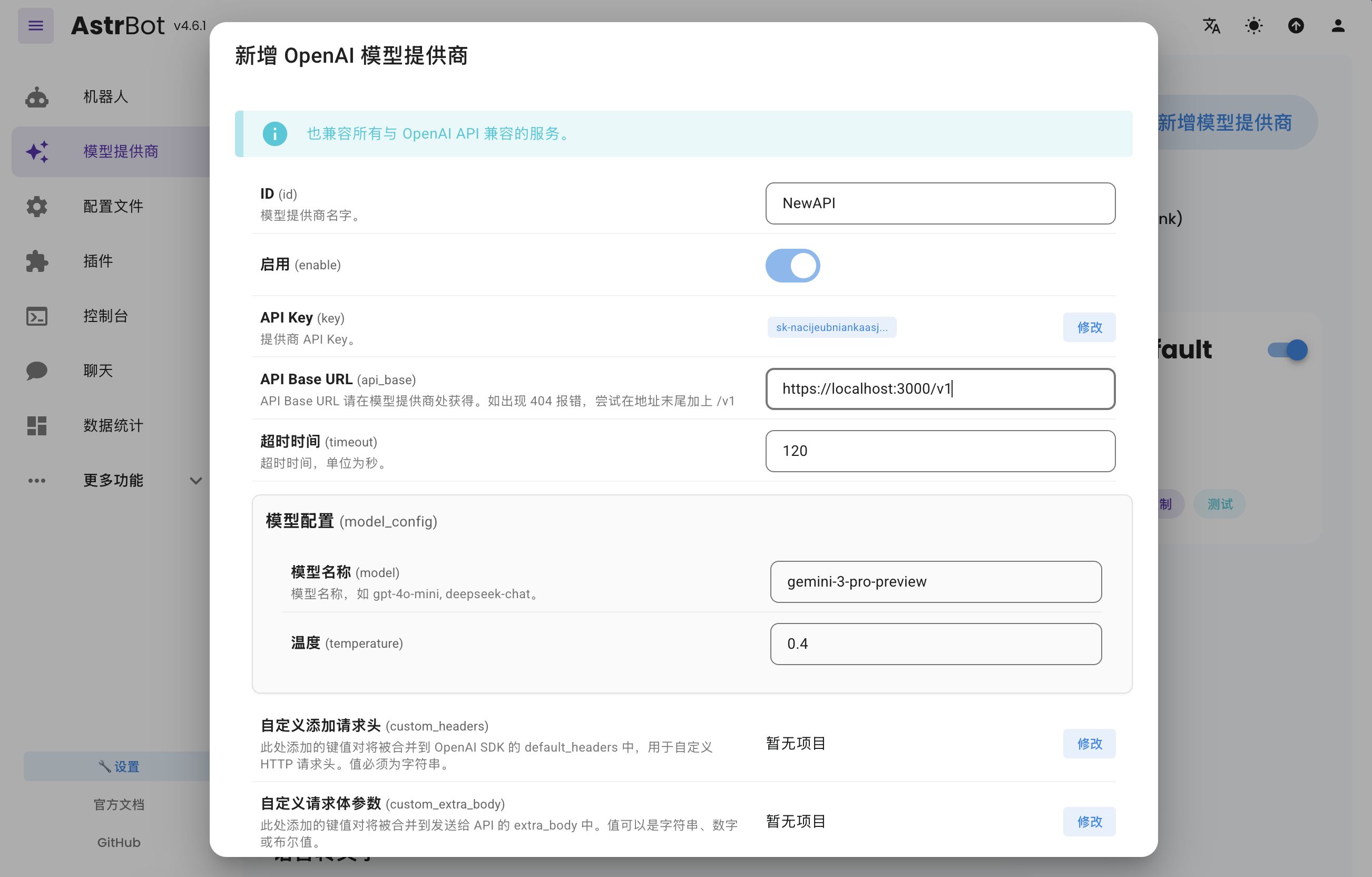
Click save again to finish provider configuration.
Apply the provider
Go to the Profile or configuration page, find the model section, change the default chat model to the compatible provider you just created, and click Save.
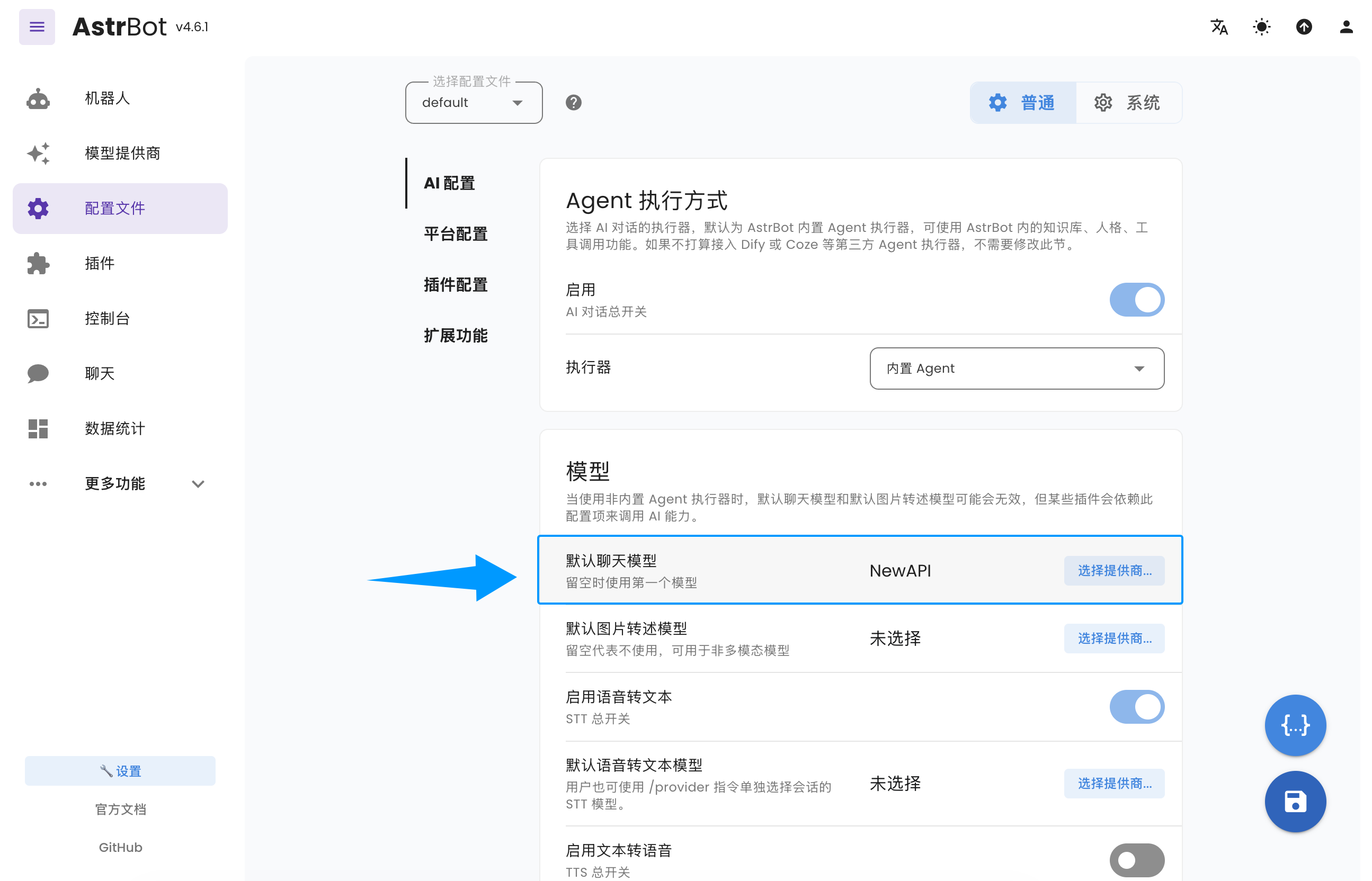
At this point, AstrBot is ready to access the AI models exposed through Dli.li AI.