
LunaTranslator is a free open-source translator for visual novels and related text workflows. It supports HOOK, OCR, AI translation engines, language-learning helpers, and text-to-speech features.
- GitHub repository: https://github.com/HIllya51/LunaTranslator
- Docs: https://docs.lunatranslator.org
Main capabilities
- HOOK extraction for game text
- In-game translation for supported titles
- Emulator HOOK support
- OCR with multiple online and offline engines
- Large-model translation support
- Japanese learning helpers and Anki/Yomitan support
- Speech synthesis and speech recognition support
Installation
Use the official LunaTranslator download and update guide: LunaTranslator documentation
Connect LunaTranslator to Dli.li AI
LunaTranslator can connect to both self-hosted and third-party NewAPI-based services.
One-click configuration
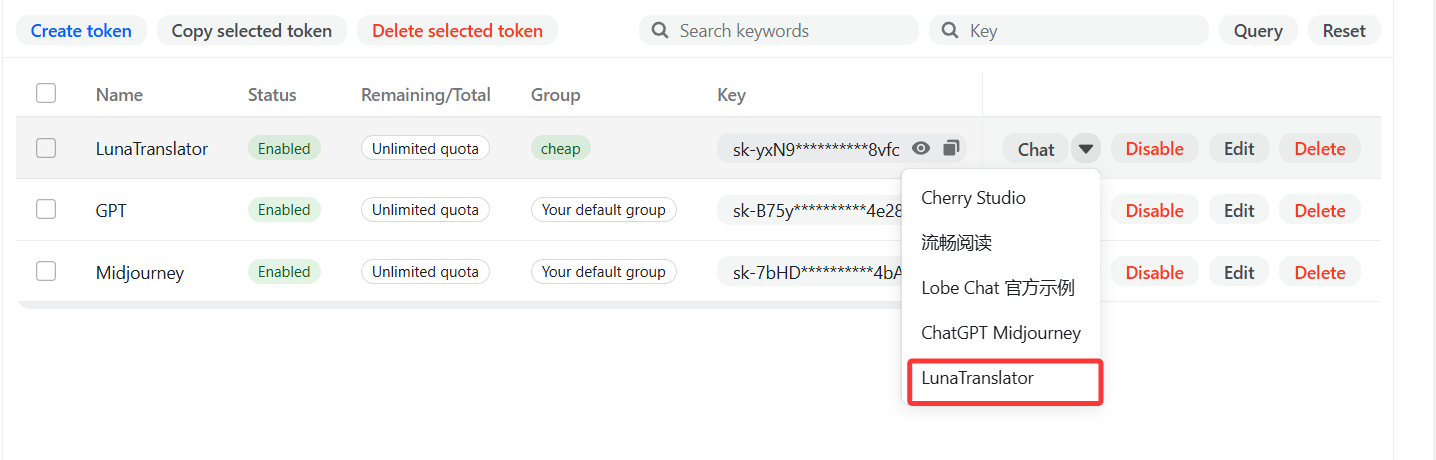
- On the Dli.li AI
API Tokenspage, open the token action menu, chooseLunaTranslator, and let it jump into the app with the API address and API key filled automatically.
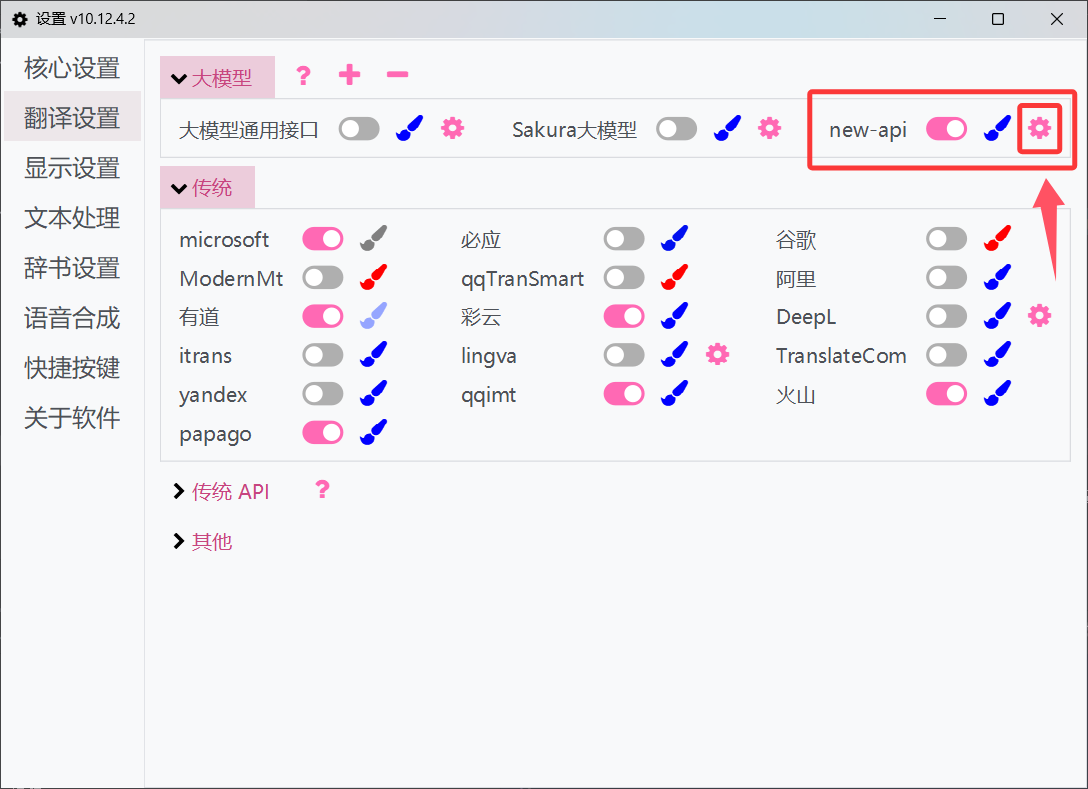
- In LunaTranslator -> Settings -> Translation Settings -> Large Models, open the imported provider entry and edit it if needed.
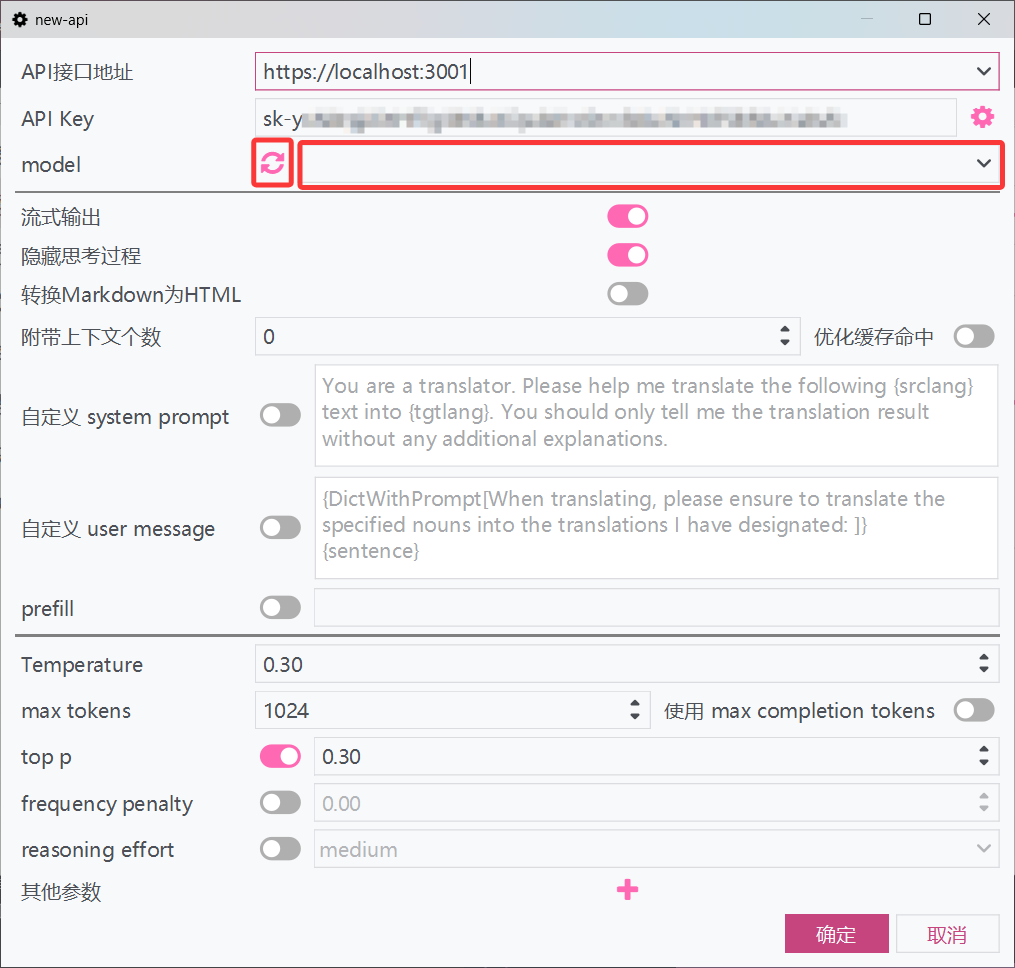
- Refresh the model list, select or enter the model name, and save it.
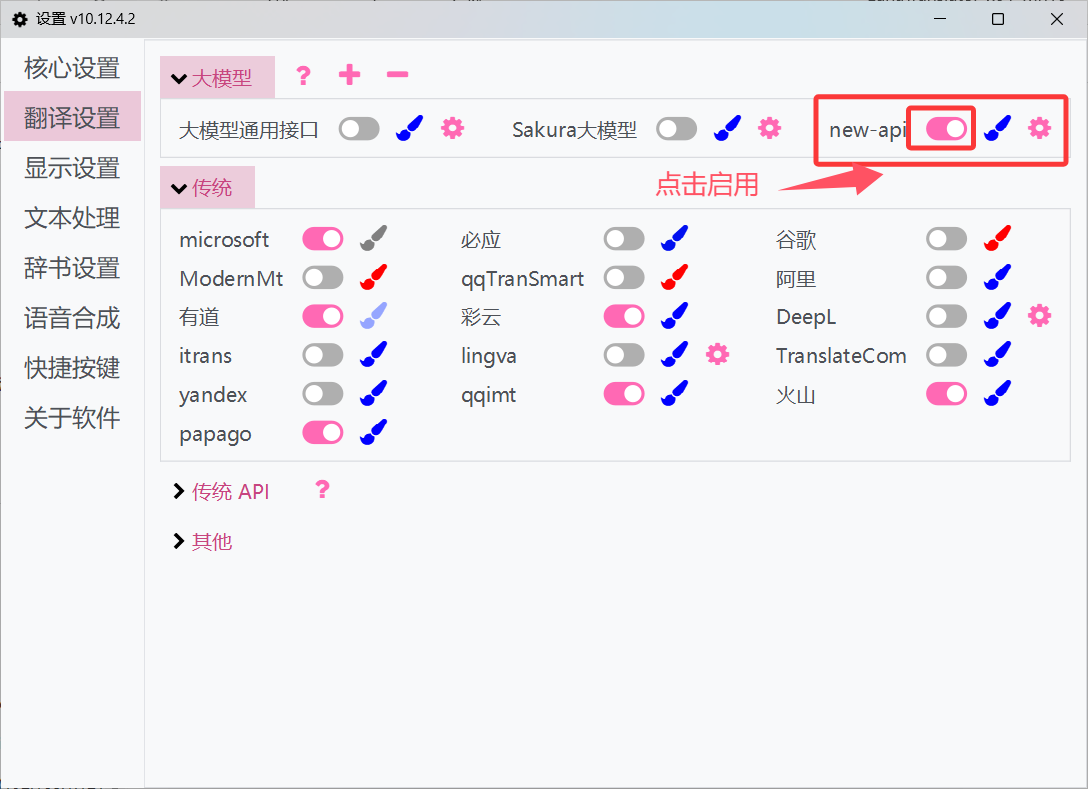
- Make sure the imported provider is enabled.
Manual configuration
Copy the API key from the Dli.li AI
API Tokenspage.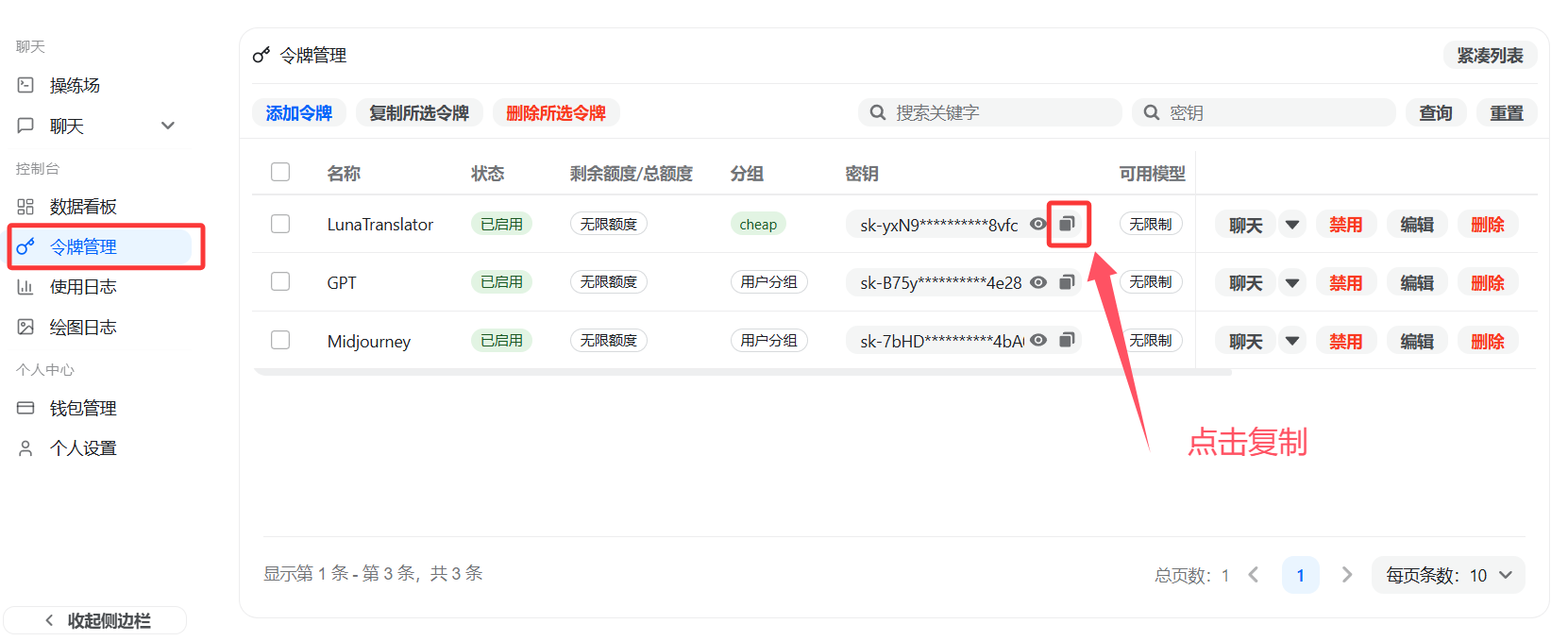
In LunaTranslator -> Settings -> Translation Settings -> Large Models, add a new provider.
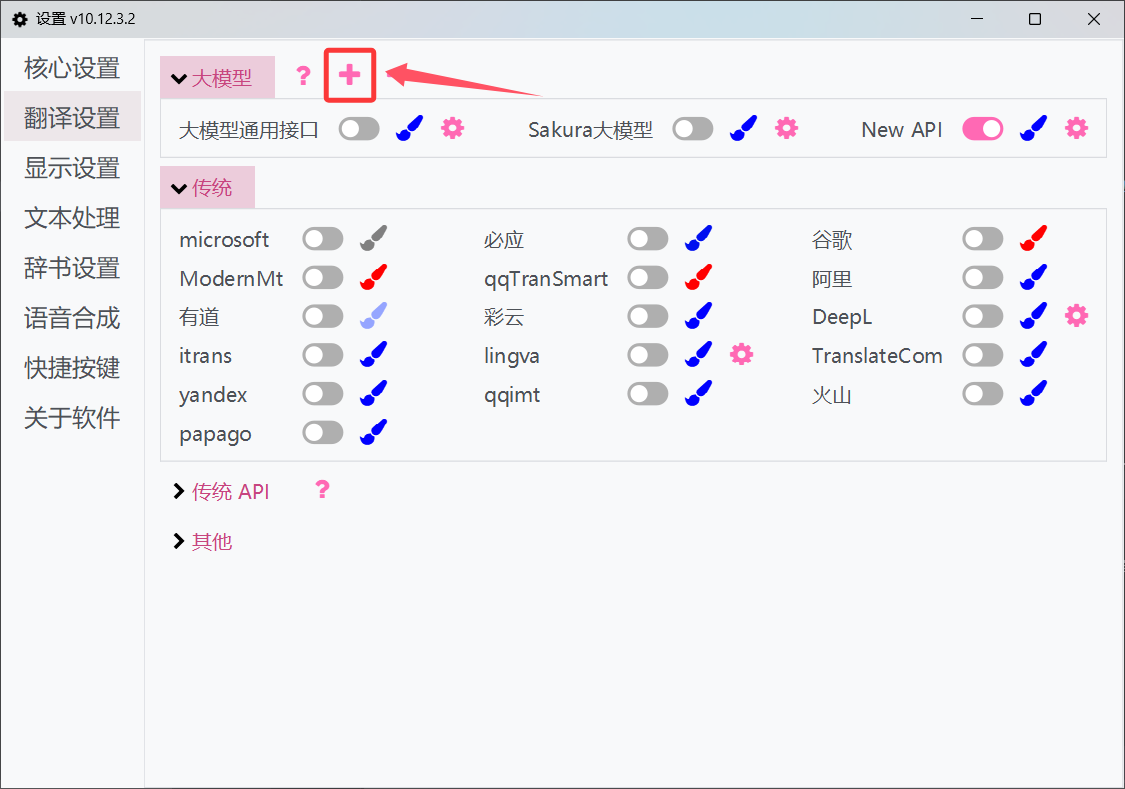
Copy the generic large-model provider template.
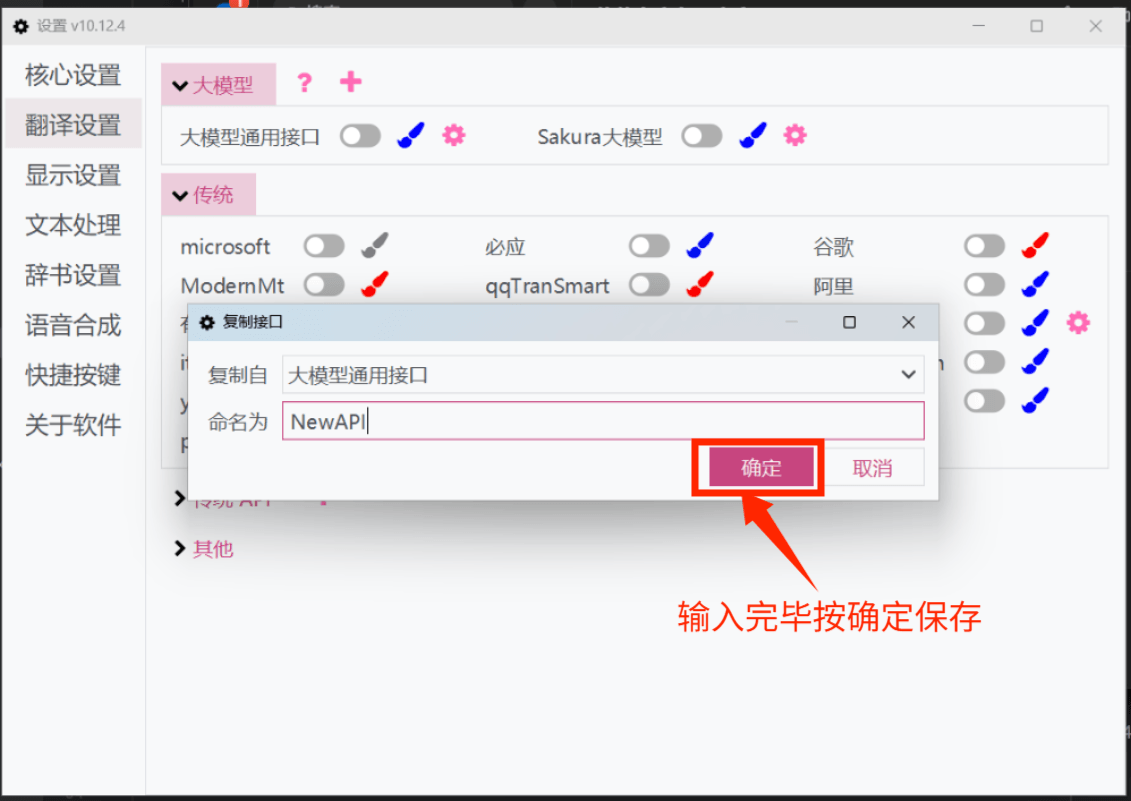
Fill in the API address and API key.
- Official default API:
https://api.dli.li/v1 - Official backup API:
https://api.dlizz.com/v1
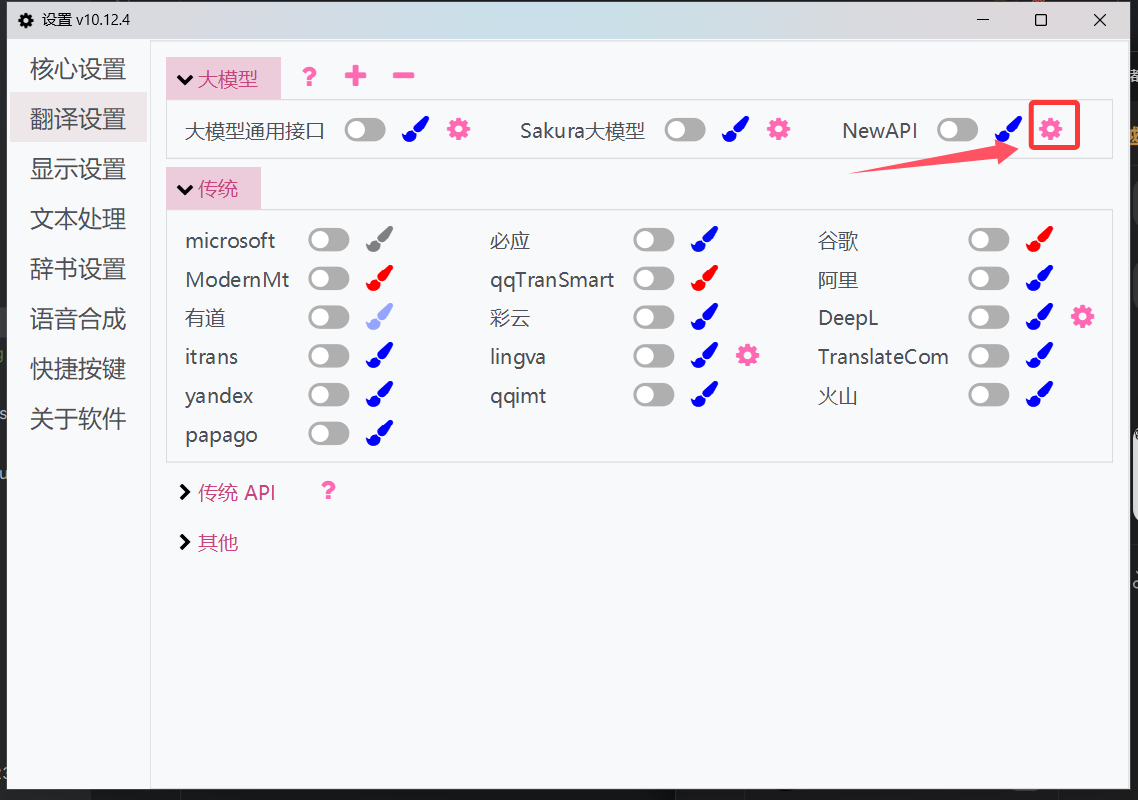
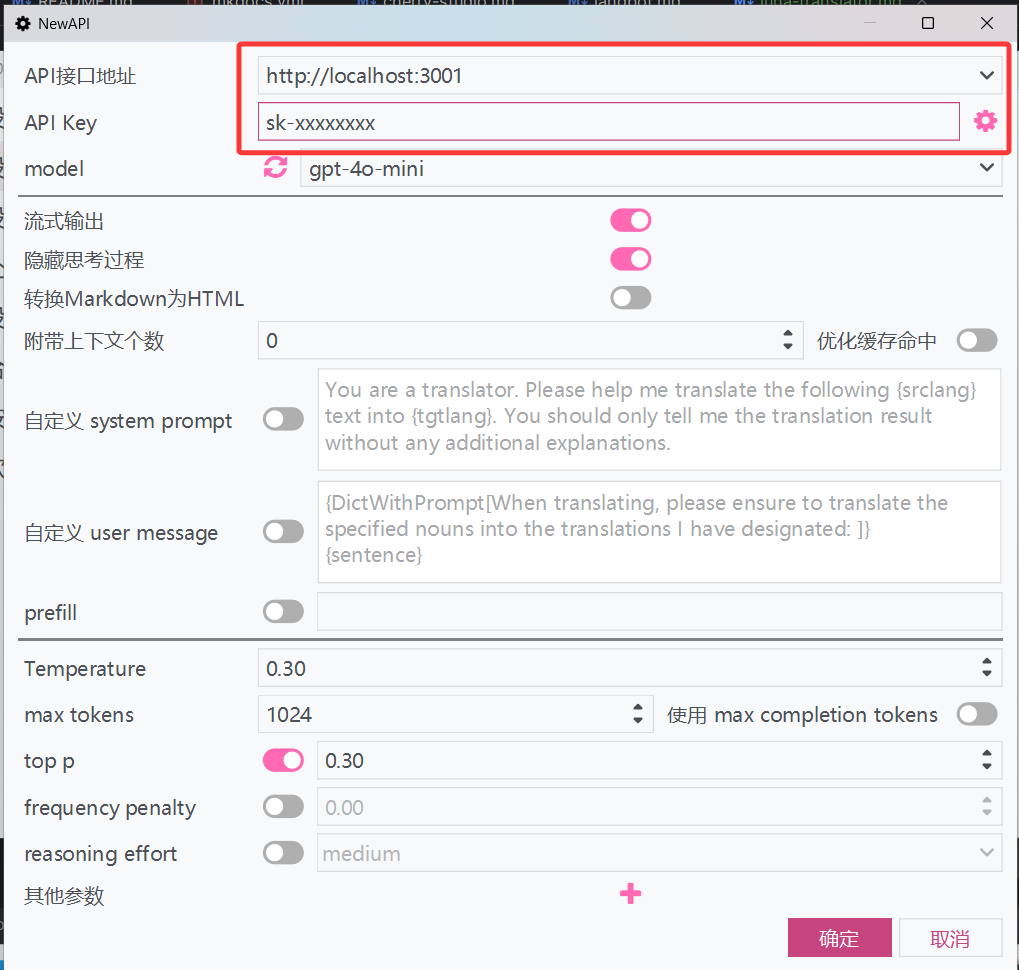
- Official default API:
Refresh the model list, select a model, and save it.
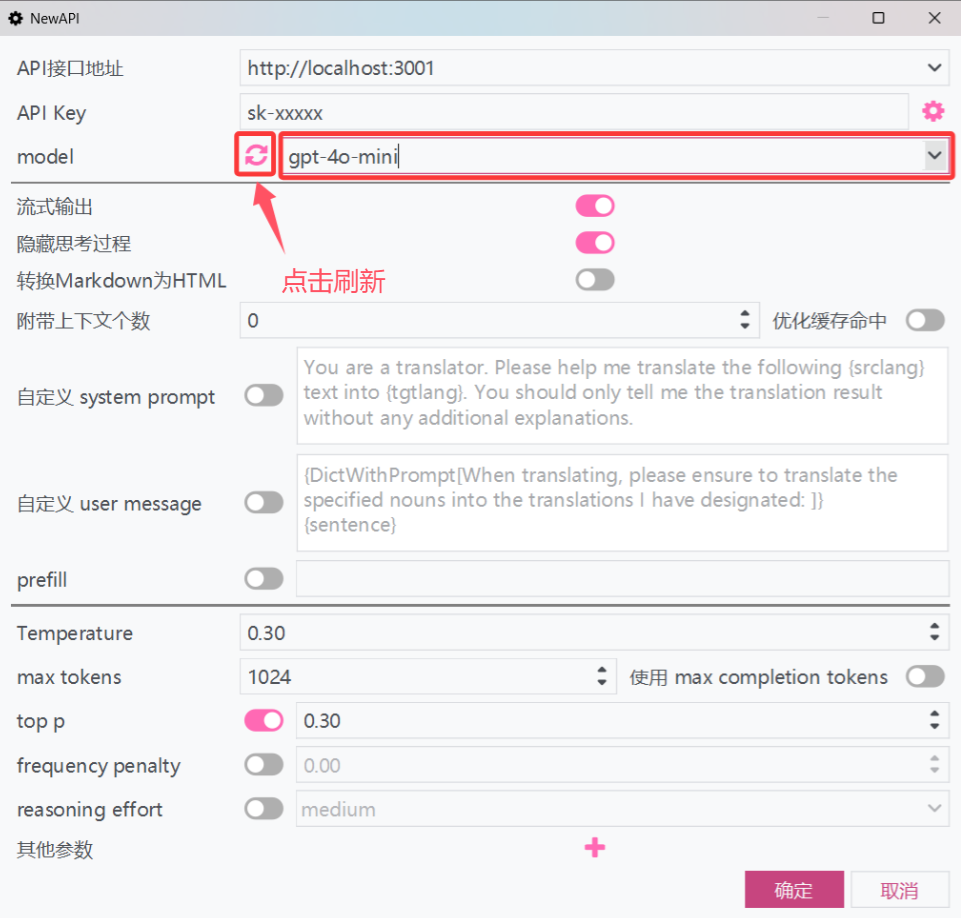
Enable the provider and start translating.
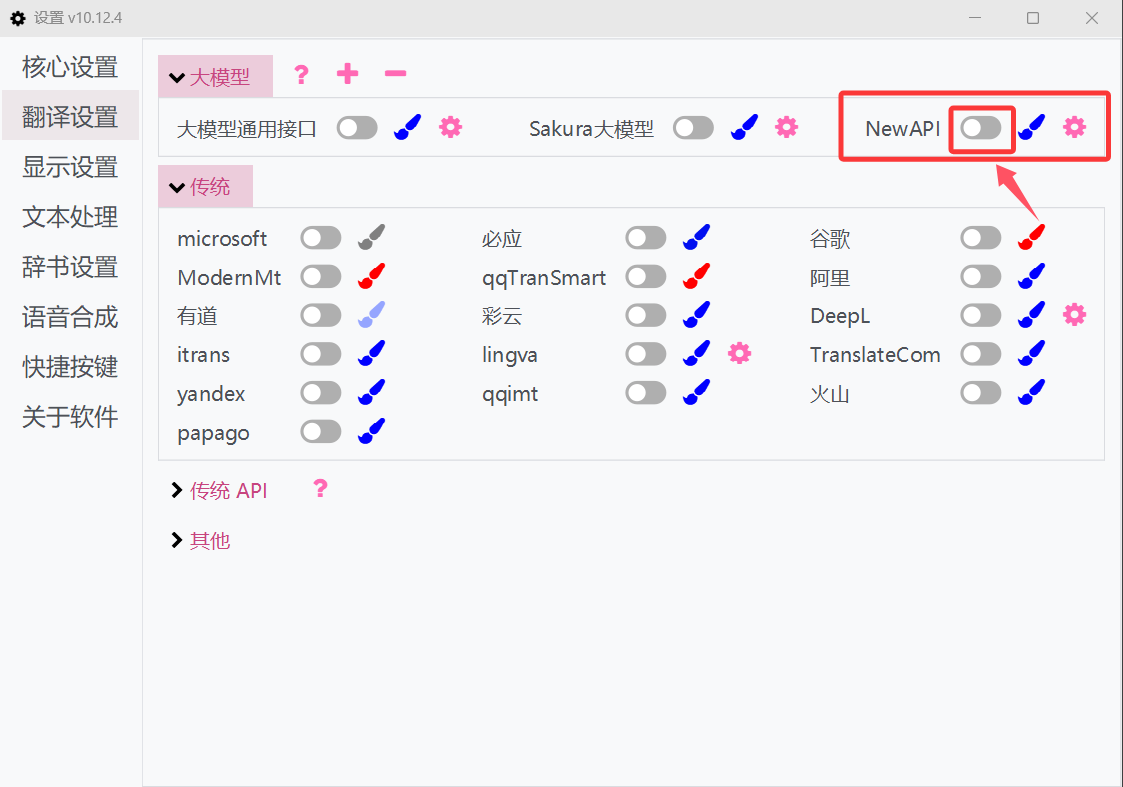
For more details, see the official docs: LunaTranslator large-model translation interface