
FluentRead is an open-source browser translation extension designed to provide a more natural reading experience with bilingual and AI-assisted workflows.
- GitHub repository: https://github.com/Bistutu/FluentRead
Core features
Translation engine options
- Supports 20+ translation engines
- Includes traditional engines such as Microsoft, Google, and DeepL
- Includes AI model backends such as OpenAI, DeepSeek, Kimi, and Ollama
- Supports custom translation-service configuration
Reading experience
- Side-by-side bilingual reading
- Selection translation
- One-click copy for translated text
- Full-page translation without refreshing the page
Privacy and customization
- Local data storage
- Open-source and transparent implementation
- Rich customization options
Installation
| Browser | Install |
|---|---|
| Chrome | Chrome Web Store |
| Edge | Edge Add-ons |
| Firefox | Firefox Add-ons |
Configuration
Import from the Dli.li AI console
Once the FluentRead extension is installed, opening the Dli.li AI API Tokens page will show a prompt to add FluentRead.

After selecting a model, click the one-click fill action. Review the information in the confirmation dialog.
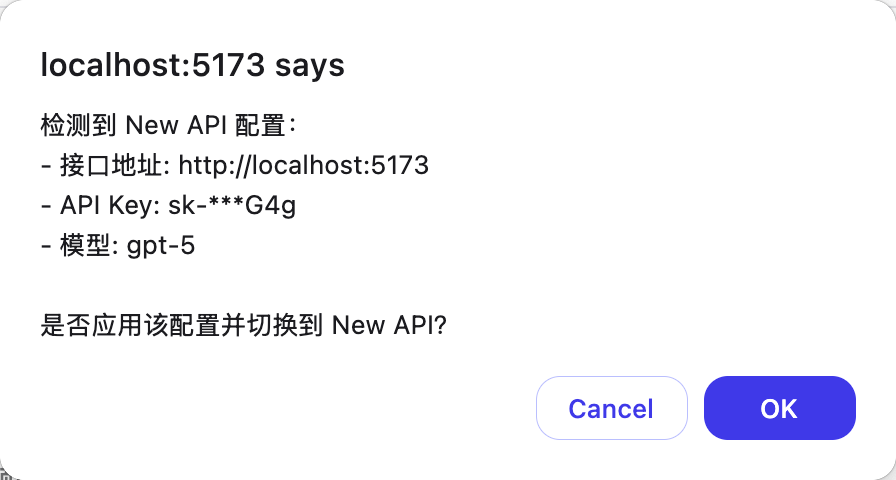
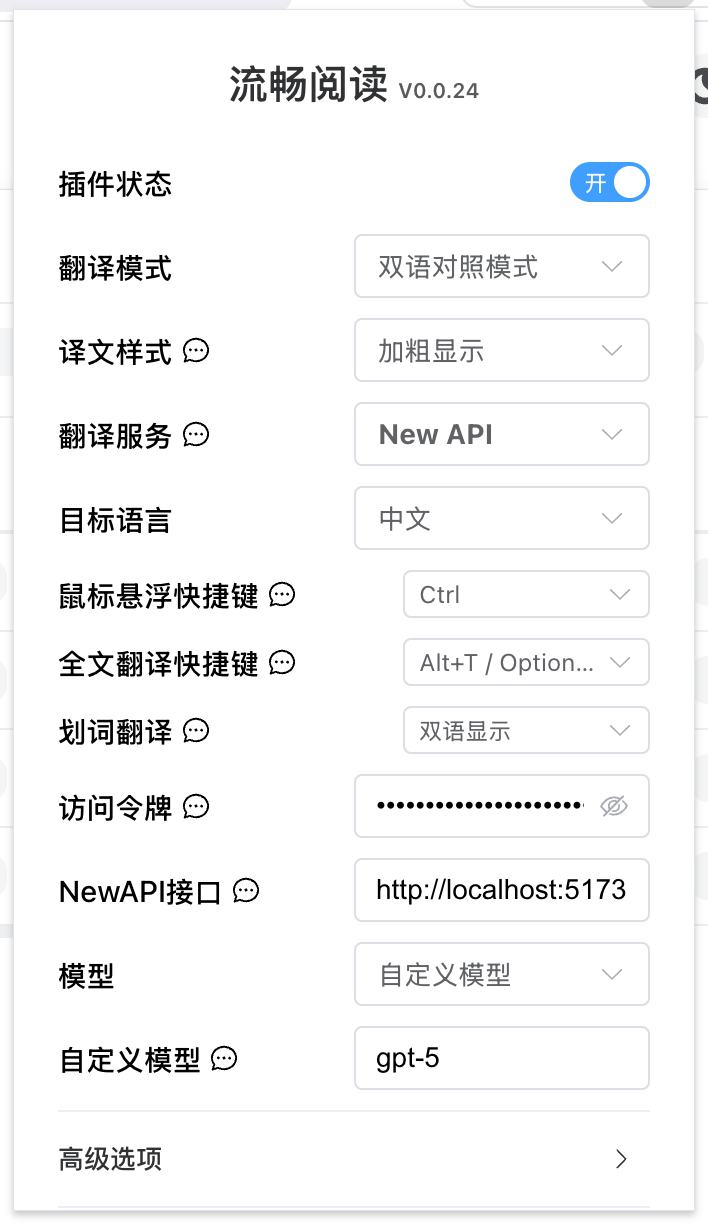
After confirmation, the imported configuration becomes active inside FluentRead.
Manual configuration
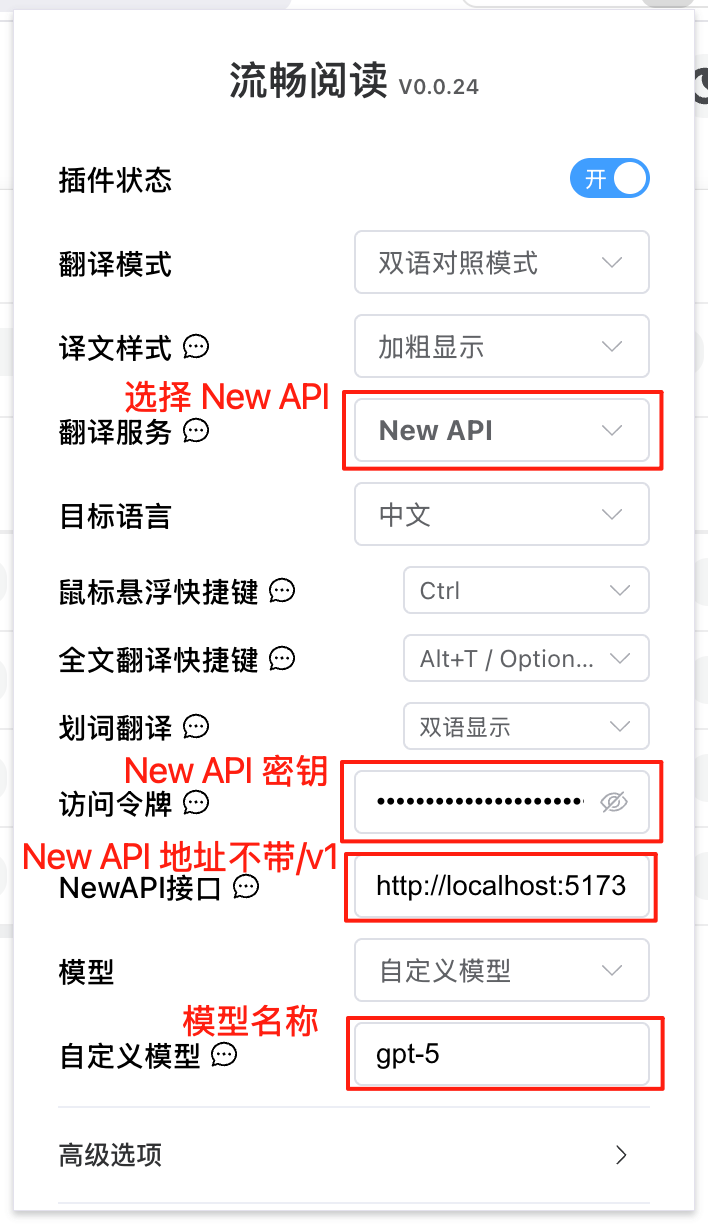
| Item | Value |
|---|---|
| Translation Service | NewAPI |
| Access Token | Your Dli.li AI API key |
| NewAPI Endpoint | Deployment address without /v1 |
| Model | Pick from the list or enter a custom model |
| Custom Model | Exact model name |